


Being a freelancer means being everything in your business. You have to handle the administrator, project manager, CEO, and many other roles alone. And, of course, it means doing plenty of diverse tasks, from client negotiations to managing documentation.
It can be hard to organize a solo-run workflow. But digital tools can help. They let you create a well-coordinated and smooth workflow more easily to prevent your projects from becoming chaotic.
How do you create a perfect freelancer tech stack? To help you, we gathered efficient tools for freelancers that make daily tasks more manageable and will help you look professional in 2026.
How Freelancing Tools Support Workflows in 2026
Modern clients set the bar high for freelancers. They expect transparent processes, fast turnaround, and convenience along every stage. Meeting these high standards can be tough for a solopreneur who handles all possible business operations alone. But modern tools for freelancers help.
Wisely selected freelance tools let you perform a large number of daily tasks with less effort, enhancing your processes. The tools we’ll share here, in particular, help with:
- Document creation, editing, and management;
- Time-tracking;
- Scheduling;
- Project and task management;
- Writing and communication.
Let’s see which freelancing tools you can count on this year for these tasks!
Best Tools for Freelancers: Top 7 Picks for Workflow Productivity
1. PDFAid - A Multi-Purpose PDF Editor
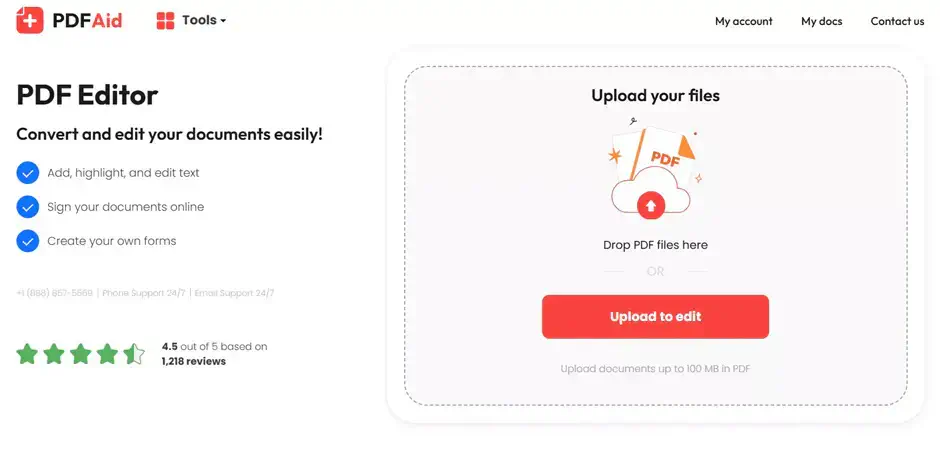
PDFAid is an online platform that gives you access to 50+ free tools for managing PDF files. On the platform, you will find a convenient PDF converter and editor that supports plenty of tasks. It’s the ultimate tool freelancers need for handling paperwork.
Core Features
PDFAid is an all-around solution for everyone who needs to create, edit, and manage PDF files. The platform lets you perform lots of tasks, including:
- Convert to and from PDF. You can convert from and to nearly all popular file formats, including Word, Excel, JPG, etc.
- Managing different forms. The PDFAid’s database includes common forms like W-9, DS-11, 1099-MISC, etc. You can easily fill out form templates and instantly add signatures.
- Editing PDF documents. The platform allows you to edit PDF files in nearly any possible way. You can compress, rotate, merge, and sign PDF files in one place. There are also many advanced tools, like highlighting and comments, to manage PDF documents with ease.
Benefits
- A convenient web-based platform accessible anytime and from any device.
- Broad functionality of the PDF editor.
- No need for installing and managing additional software.
- 300+ file formats supported in the PDF converter.
- Multiple language support.
- Original layout preservation.
- Free and safe to use.
2. Toggl Track - Reliable Time Tracking for Billing Accuracy
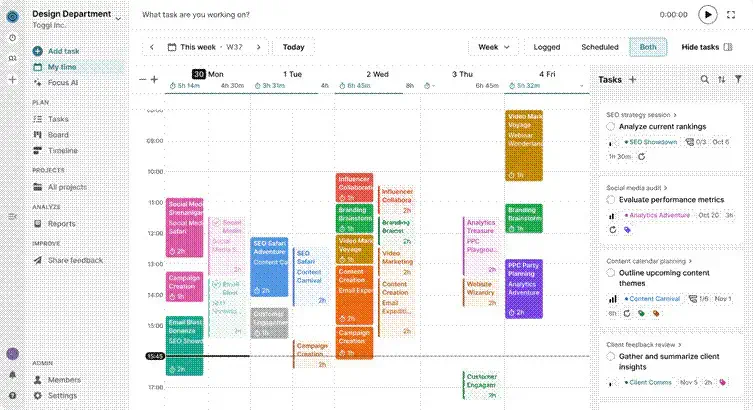
Toggl Track is a time-tracking solution. It precisely records the hours you spend on your projects. So it’s also one of the top freelancer tools. Especially when it comes to accountability and billing accuracy.
Core Features
Toggl Track has one of the most comprehensive feature lists compared to similar tools for freelancers. With it, you can:
- Track time spent on projects. The tool lets you create separate tags for different projects and tasks for maximum accountability.
- Set up automatic tracking. Toggl Track can launch the background timer instantly when you start working in a specific app or website.
- Organize a well-coordinated work calendar. And integrate time tracking with your workspace.
- Review time data anytime for seamless invoicing.
Benefits
- Accurate time-tracking for multiple projects/clients.
- Automated time-tracking feature.
- A free 30-day trial with no credit card.
- 100+ integrations for a more organized workflow.
3. Calendly - An Easy Way to Schedule Appointments
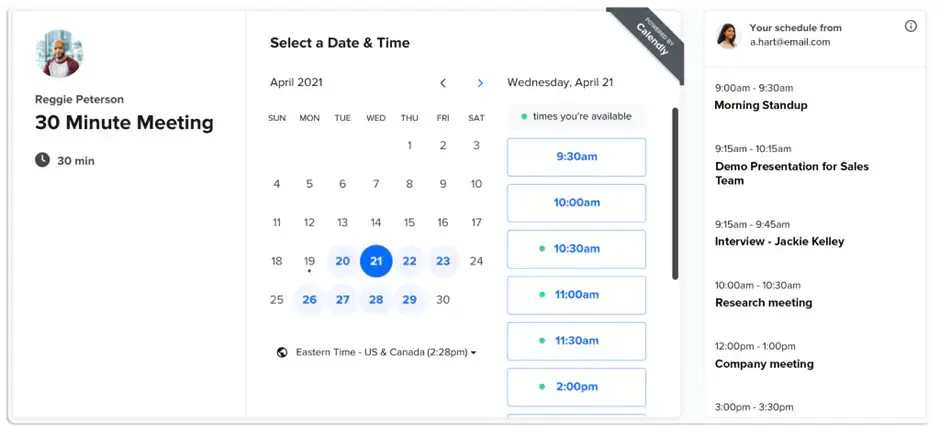
Calendly is a solution for scheduling meetings. It lets you keep your availability up to date and schedule different types of events without hassle.
Core Features
Calendly is among the best tools for freelancers thanks to its broad functionality and compatibility. With this tool, you can:
- Connect multiple calendars to see your full schedule in one place.
- Create custom event types. Compared to similar freelance tools, Calendly offers great customization. You can create custom events and manage them all together.
- Integrate an availability calendar to let your clients know when they can connect with you.
- Automate scheduling. With Calendly, you don't have to negotiate each event manually. You can create a scheduling link and let your clients and prospects book a meeting with you themselves.
Benefits
- Broad range of features and strong customization.
- An always-free plan option for beginners.
- Availability adjusts to different time zones.
- Over 100 integrations.
4. Notion - All-in-One Workspace Powered With AI
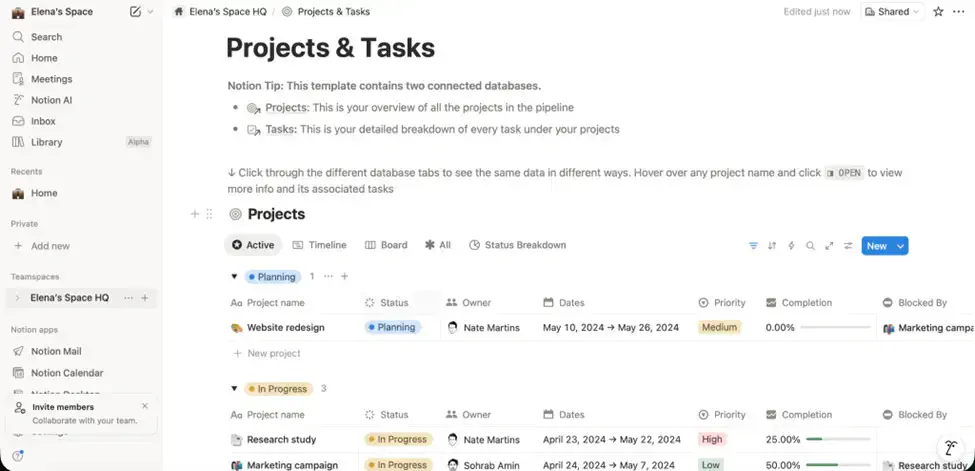
Notion is an all-around workspace solution. It offers a fully customizable dashboard. And it has tools for project management, meeting scheduling, document management, and many other needs. It’s one of the must-have tools for freelancers looking to create a seamless workflow.
Core Features
Notion is one of the few freelancing tools that has everything in one place. Its main features include:
- Create a single workspace and customize it to your needs. Notion supports creating dashboards, databases, wikis, and other custom elements for your fully customized space.
- Manage your tasks and projects. Create custom to-do lists and manage different projects from one workspace.
- Collaborate with a built-in AI assistant. Notion’s AI-powered freelancer tools let you create meeting notes, write content, perform research, and do much more with less effort.
Benefits
- Always-free plan for individual users.
- Fully customizable workspaces with no fixed layout.
- An opportunity to add more team members and collaborate in real time.
- Smart AI assistant.
5. Grammarly - Professionally-Looking Writing and Communication
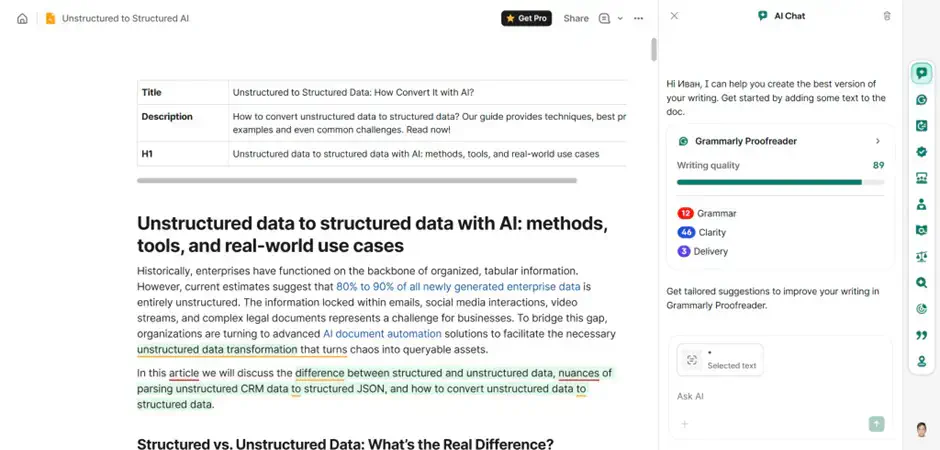
Grammarly is long known as one of the top freelancer tools for writing. It’s an AI-powered assistant that checks your writing in real time and provides suggestions for improvement. With its help, you can write better and clearer to look professional.
Core Features
Grammarly is a versatile writing assistant. With its help, you can:
- Check any type of writing, such as documents, correspondence, and other content types, for grammar, spelling, punctuation, and other errors.
- Identify and improve the tone of writing.
- Detect plagiarism and AI in your writing.
- Paraphrase or humanize your text.
Benefits
- Smart writing suggestions to polish your content and correspondence.
- An opportunity to improve the tone of writing.
- Smooth integration with different devices and tools.
- Free plan for independent users and paid options for more advanced features.
6. Loom - Efficient Video Messaging for Quick Updates
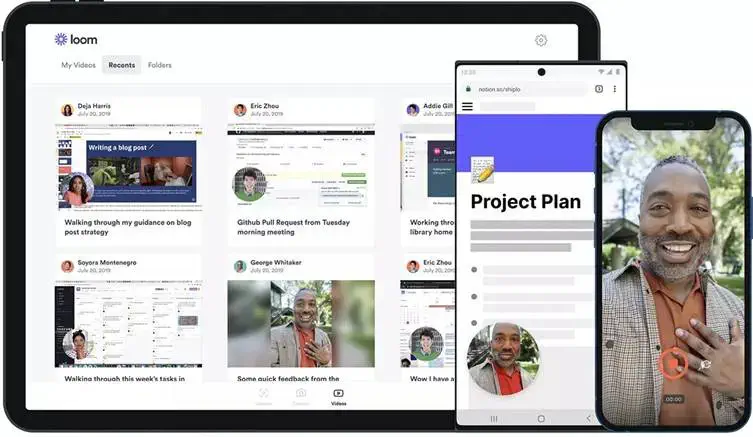
Loom is a video messaging tool designed for collaboration. It might not be the most obvious one among the freelancer tools you need in 2026. But it really comes in handy when text is not enough and a meeting doesn’t work.
Core Features
Loom is among the top freelance tools that simplify communication between you and your clients. With its help, you can:
- Record your screen and camera.
- Instantly edit your video messages.
- Share your videos across multiple channels.
Benefits
- Simple and convenient video messaging when simple texts don't cut it.
- Integration with hundreds of other tools for seamless sharing.
- Simple editing features.
- Customizable privacy controls.
7. Slack - Fast and Convenient Communication
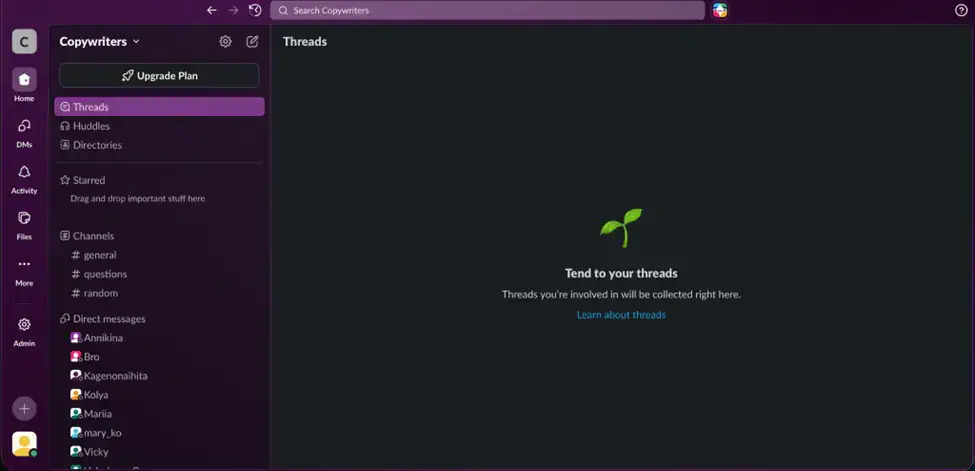
Slack is a cloud-based communication solution. It helps organize projects and communicate with your clients in real time, which makes it one of the essential freelance tools for 2026.
Core Features
Slack is the ultimate solution for transparent and well-organized correspondence. With this tool, you can:
- Create and manage projects. Slack allows you to have separate spaces for different projects/clients and customize tasks for each.
- Connect with your clients or partners. You can invite external parties to collaborate on your projects.
- Set up convenient communication channels. You can set up multiple chat rooms for different projects or topics.
Benefits
- A single convenient communication channel to replace email clutter.
- Simple setup and customization of projects.
- A possibility to add tasks to each project for better transparency.
- Seamless collaboration with clients and partners.
Enhance Your Workflow With the Right Tools for Freelancers
Freelance tools help organize your workflow and look professional. But there are many freelancing tools out there. And it can make the choice quite overwhelming.
To help you get started, we’ve tested popular tools and made a list of the most essential ones to use today:
- PDFAid: to manage your paperwork;
- Toggl Track: to track time effectively and simplify billing;
- Calendly: to automate scheduling;
- Notion: to organize an effective, single workspace;
- Grammarly: to write correctly and clearly;
- Loom: to record videos with ease;
- Slack: to communicate and collaborate in real time.
Include these freelancer tools in your tech stack this year, and become productive!