
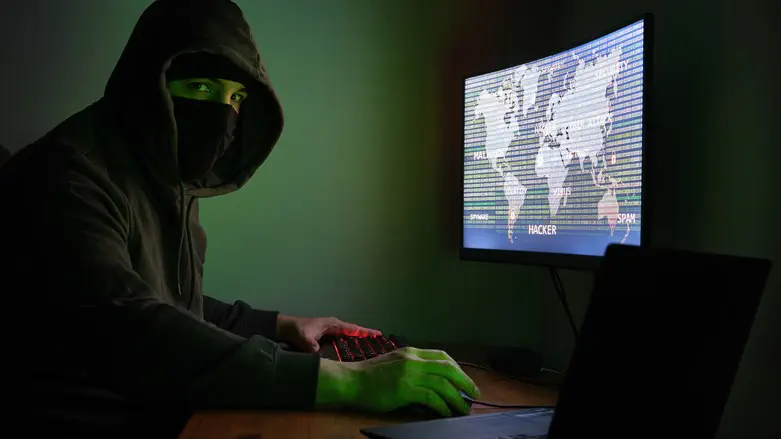
Phishing scams have become one of the most common threats we face online. Designed to be as convincing as possible, hackers impersonate essential services like banks, whom we tend to trust and engage with naturally. When you receive an email or a text message claiming to be from your bank, how
do you know if it’s real or not?
Phishing is a type of cyberattack where a hacker pretends to be a legitimate person or company with the intention of tricking victims into revealing private information like passwords or financial details. Phishing scams can come in many forms, including emails, phone calls, voice messages, and text messages. In their 2022 Internet Crime Report, the FBI found that phishing was the most common Internet crime on record, accounting for over 300,497 victims. Altogether, victims lost over $52,089,159 from these attacks.
5 red flags of a phishing attack
1. Sense of urgency
Phishing attacks will often use time as a way to pressure you into action. Messages will demand immediate attention with the usual threat that if you do nothing, something terrible will happen, including that your account might be closed or your funds frozen. The hacker hopes that through panicking, you’ll forget essential cybersecurity safeguards and do something unwise, like click an unknown link, share your private information, or make changes to your account that reduce its security. Whenever you receive a message claiming to be from your bank, take as much time as you need to examine the contents and its authenticity. Never be pressured into acting without first thinking things through.
2. Poor grammar and spelling
Every day, hackers are sending out phishing scams to people from around the world. They might use AI tools to translate their messages into a language they’re not familiar with. As such, phishing messages might contain misspellings and poor grammar, which can feel unprofessional for your bank. That said, there is a theory that modern-day phishing scams include spelling mistakes on purpose as a way to ‘fish’ out people who are more susceptible to scams. Regardless of their reasons, if you see a bank message that looks unprofessional and sloppy, there’s a high chance it is an impersonation and
should be reported.
3. Asking for additional personal information
Banks usually have a policy assuring customers that employees will never ask for private information. As such, be vigilant if you receive a message requiring you to share your PIN, password, security questions, credit card numbers, or even bank account numbers. Criminals often search through social media to find out information about you. Check the privacy settings and ensure that you don’t openly share sensitive information like your email address and phone number, as well as any information that might be useful in cracking your account passwords or contacting you personally.
4. Wrong email, website, or phone number
Hackers will go to any length to impersonate your bank, including creating a near-identical copy website. This site will have the same logos and design as the actual site. A person might log in with their banking information thinking the website is genuine, thus compromising their security.
Before visiting a website, sift through the URL for:
● Any spelling mistakes or different characters (the number 1 instead of the
letter ‘L,’ for example)
● A different domain extension (.com instead of co.uk)
● Avoid trusting search engines to find your bank URLs either, as fraudulent
websites can still try to rank highly in the results. Instead, type the address
yourself.
5. Suspicious file attachments
Phishing attacks are designed to trick you into doing something that makes you vulnerable. As well as sharing information, an email or message might prompt you to download something. It could be a new banking app or a recent financial statement. These files contain hidden coding that can infect your system and compromise the security of your bank account and device. Pay close attention to any unusual extensions, scan files with your antivirus software before downloading anything, and never download a banking app from an untrusted or unverified marketplace or website.
3 ways to protect yourself against phishing attacks
As scary as phishing scams may seem, you are not defenseless against them. Below are simple ways of protecting yourself and your bank account:
1. Multi-factor authentication
Multi-factor authentication is a cybersecurity tool that can be used to protect your banking login details. Upon login, you must verify your identity by another means first. This is usually via a single-use code sent by SMS or email. The hacker would need access to these secondary accounts to log in successfully. Furthermore, multi-factor authentication can warn you if someone else is trying to log
into your account, giving you time to change your password and notify your bank.
2. Virtual Private Network (VPN)
A VPN is a cybersecurity tool that helps keep your information safe and secure. It works by disguising your IP address and encrypting your connection, thus ensuring no one can spy on what you’re up to online. Some of the best VPNs have features that block malicious websites. Even if you click on the wrong URL, the VPN will flag the site and protect you from potential fraud. By signing up for a VPN free trial, you’ll see first-hand the peace of mind this tool can bring to all aspects of your online activity, including your online banking.
3. Password manager
Passwords are the cornerstone of our online security, and they are something that every cybercriminal wants to know. Some forms of phishing will trick you into entering passwords into fraudulent websites. Many password managers will verify a domain address before auto-filling in a password. This can help prevent an attack, as the manager will not recognize the site URL or enter your password.