
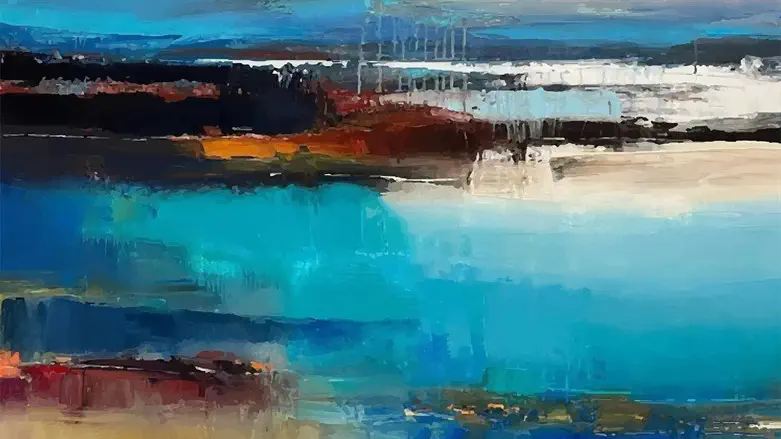
Art has always been a medium for creative expression, and with technological advancements, we now have innovative tools to explore and expand our artistic horizons.
One such tool that has gained significant popularity is AI image style transfer. This powerful technology transforms ordinary photos into visually stunning compositions inspired by various artistic styles, ranging from manga to modern art. In this article, we will delve into the fascinating world of AI image style transfer and provide a step-by-step guide on using CapCut's free AI image style transfer online tool. CapCut, a leading platform in video editing and creative tools, offers a user-friendly and intuitive tool that unlocks your creativity and enables you to transform your photos into captivating works of art. You can also check other useful tools by CapCut, speech to text converter.
Understanding AI Image Style Transfer
AI image style transfer is an innovative technology that leverages artificial intelligence and deep learning algorithms to analyze and extract artistic styles from reference images. It then applies these styles to other images, resulting in visually striking compositions. This process goes beyond traditional filters by blending one image's content with another's artistic style, allowing you to create unique and captivating visuals.
CapCut, a trusted name in video editing and creative tools, provides a free AI image style transfer online tool that puts the power of artistic transformation in your hands. With CapCut's tool, you can effortlessly stylize your images, explore various artistic styles, and unleash your creativity like never before. Whether you want to recreate the aesthetic of manga, replicate the brushstrokes of classical paintings, or experiment with modern art styles, CapCut has got you covered.
Step-by-Step Guide to Using AI Image Style Transfer Tool
· Step 1: Accessing CapCut's AI Image Style Transfer Tool
To begin your artistic journey, visit CapCut's website and locate the AI Image Style Transfer tool. It is prominently featured among CapCut's suite of Magic Tools. Click on the tool to open the AI image style transfer interface.
· Step 2: Uploading Your Image
Once you're on the AI image style transfer page, you'll find an intuitive interface that prompts you to upload your image. You can do this in two ways. Firstly, click on the designated area and select the image file from your computer. Alternatively, you can drag and drop your image onto the interface. CapCut supports various image formats, ensuring compatibility with your files.
· Step 3: Selecting an Artistic Style
After uploading your image, the next step is to select the artistic style you wish to apply. CapCut offers a wide range of captivating styles to choose from, including manga, classical paintings, modern art, and more. Take your time to browse through the available styles and select the one that resonates with your creative vision.
· Step 4: Applying the Style
Once you've chosen your desired artistic style, click the “Transfer" button to initiate the style transfer process. CapCut's advanced AI algorithms will seamlessly blend the content of your uploaded image with the selected style, creating a visually stunning composition that reflects the chosen aesthetic. The conversion process is swift, allowing you to preview the final results within seconds.
· Step 5: Preview and Comparison
Before finalizing your stylized image, CapCut allows you to preview and compare the before and after versions. This feature enables you to appreciate the transformative power of AI image style transfer and make any necessary adjustments to achieve the desired outcome.
· Step 6: Saving and Sharing
Once you are satisfied with your stylized image, it's time to save and share your masterpiece. CapCut provides a seamless download option, allowing you to save the final image to your preferred location on your device. You can then share your creation on social media platforms, print it, or incorporate it into your creative projects.
Find Out More AI Image Editing Tools
· AI Image Upscaler
In addition to AI image style transfer, CapCut offers another powerful tool: AI Image Upscaler. This tool utilizes advanced algorithms to enhance the resolution and quality of your images, allowing you to upscale them to higher resolutions, such as 4K. Whether you have old photos with limited resolution or want to enhance the details in your images, the AI Image Upscaler is a valuable tool in your creative arsenal. With just a few clicks, you can breathe new life into your images and bring out finer details, making them more visually appealing and suitable for various purposes, including printing, digital displays, and artistic projects. CapCut's AI Image Upscaler ensures that your images retain their integrity and clarity even after the upscale, providing stunning results that surpass traditional upscaling techniques.
· AI Image Colorizer
Another impressive feature offered by CapCut is the AI Colorizer tool. This tool utilizes advanced AI algorithms to automatically add color to black-and-white or faded photos, restoring them to their former glory. Whether you have vintage family photos, historical images, or artistic pieces, the AI Colorizer breathes new life into them by adding vibrant and accurate colors. CapCut's AI Colorizer saves you the time and effort of manually colorizing photos, providing quick and accurate results. You can preserve the original essence of the image while adding a touch of color to evoke a sense of nostalgia or highlight specific elements. This tool is useful for personal projects and professional restoration services, historical archives, and creative endeavors.
Conclusion
In conclusion, AI image style transfer revolutionizes the way we approach artistic expression, offering endless possibilities for transforming our photos into visually captivating works of art. With CapCut's free AI image style transfer online tool, users can unlock their creative potential and explore a vast range of artistic styles, from manga to modern art. The step-by-step guide in this article empowers users to easily navigate the tool and create stunning visual compositions.
CapCut's commitment to user-friendly interfaces and advanced AI algorithms ensures a seamless experience, allowing individuals to unleash their creativity without any technical barriers. The tool's ability to blend content from one image with the artistic style of another opens up a world of artistic exploration and self-expression.
Embrace the power of AI image style transfer with CapCut, and witness the transformation of ordinary photos into extraordinary artworks. Unleash your creativity, experiment with various styles, and share your unique vision with the world. CapCut empowers you to go beyond boundaries and create visually captivating compositions that showcase your artistic flair. Start your creative journey today and embark on an artistic adventure with CapCut's AI image style transfer tool.